idea自带httpclient使用
简介
HTTP Client 是 IDEA 自带的一款简洁轻量级的接口调用插件. 默认安装.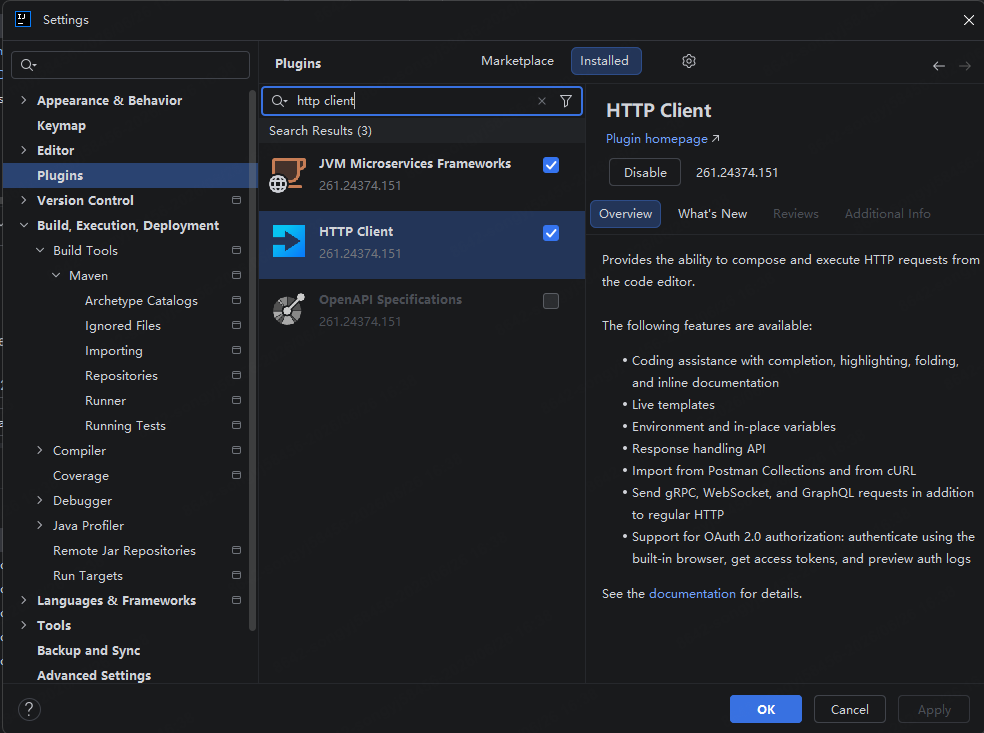
使用
创建http client文件
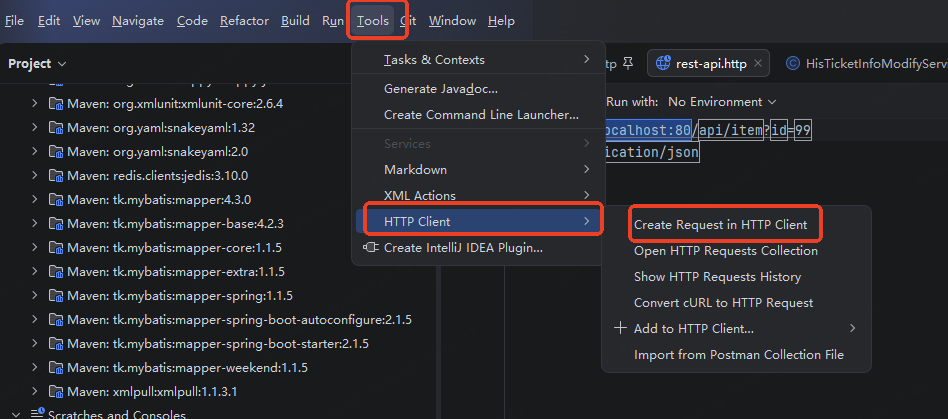
http client特性
http请求存储在.http后缀文件中, 请求文件可以包含多个请求, 多个请求用3个###隔开, 所有请求结果, 请求历史记录, cookie等信息会存放在.idea文件夹下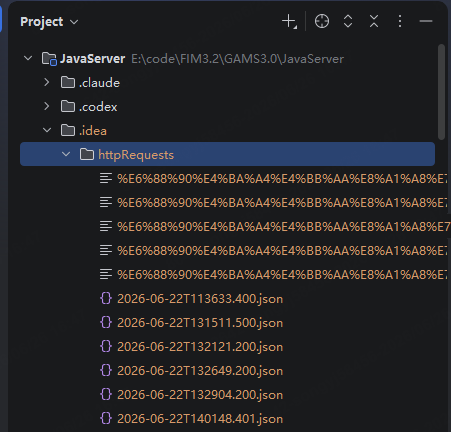
创建请求
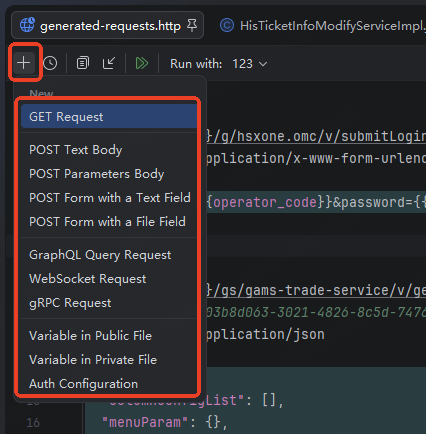
cookie
http client自动管理cookie, 需要登录后才能请求的接口, 可以先调用一次请求接口, 然后再调用目标接口, http client会自动携带cookie. 如下:
###
// @no-log
POST {{baseUrl}}/g/hsxone.omc/v/submitLogin
Content-Type: application/x-www-form-urlencoded

operator_code={{operator_code}}&password={{password}}&tenant_id=&kind_code=&verify_code=&uuid=&email_verification_code=&mac=OMC_WEB&check_pwd=&browser_type=hui

###
// @no-log
POST {{baseUrl}}/gs/gams-trade-service/v/ticketinfoquery
#Cookie: token=03b8d063-3021-4826-8c5d-74760a7a66b83
Content-Type: application/json

{
  "jcScommonDefault": {},
  "hisTicketInfoList": []
}
不保存日志
加上// @no-log
多环境
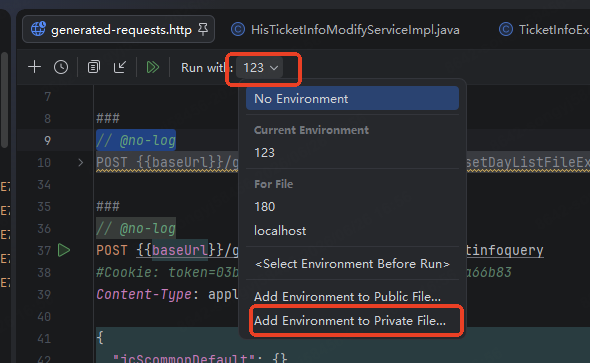
{
  "123": {
    "baseUrl": "http://10.20.191.123:8088",
    "username": "",
    "password": "D5A47C2B6C3F61A2BB0C3515399A133D",
    "operator_code": "A914CE752F76E7068F642C04267FD272"
  },
  "180": {
    "baseUrl": "http://10.20.203.180:8088",
    "username": "",
    "password": ""
  },
  "localhost": {
    "baseUrl": "http://localhost:13014",
    "username": "",
    "password": ""
  }
}
在.http文件中通过{{变量名}}引用不同环境的变量
idea自带httpclient使用
//alist.liberties.top/40